Embed a PDF in WordPress, Wix and Squarespace
Embed a PDF on WordPress, Wix or Squarespace with an iframe code block. Working snippet, sizing tips and the plan each builder needs.
Quick answer: all three site builders can show a PDF inside a page with an iframe. You paste one line of HTML into a code block. The catch is the plan: WordPress.com and Squarespace only allow iframes on certain paid plans. If your plan does not allow it, link to the PDF with a button instead.
The snippet
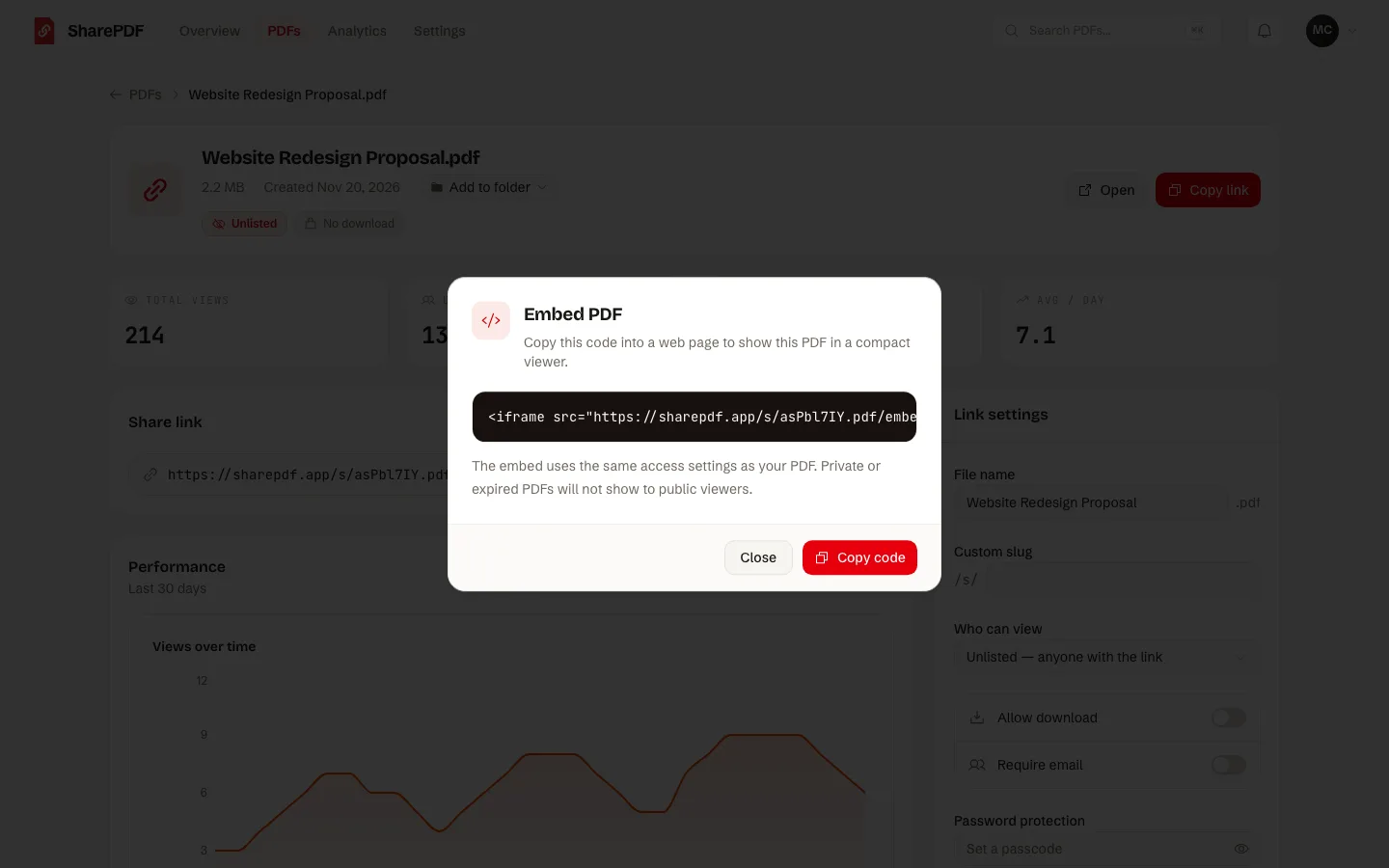
An iframe needs a web address for the PDF. SharePDF gives every PDF an embed code, on every plan including Free:
<iframe
    src="https://sharepdf.link/s/your-file.pdf/embed"
    title="Menu (PDF)"
    width="100%"
    height="700"
></iframe>
Copy your own code from the Embed option in the dashboard, or see the embed PDF tool. The HTML itself is explained in how to embed a PDF in HTML.
WordPress
Steps from WordPress.com's support pages:
- Open the page or post.
- Click the + Block Inserter and search for "HTML".
- Add the Custom HTML block and paste the iframe.
The plan: WordPress.com says tags such as iframe need a paid plan with hosting features activated. On the free plan the iframe is removed when you save. A self-hosted WordPress site has the same Custom HTML block and no plan limit.
Wix
Steps from Wix's help centre, for the Wix Editor:
- Click Add Elements on the left.
- Click Embed Code, then Popular Embeds.
- Choose Embed HTML, click Enter Code, paste the iframe and click Apply.
Or choose Embed a site and paste the embed address on its own.
The limits: Wix shows only HTTPS code and addresses. It also warns that fixed pixel sizes can crop the embed, so keep width="100%".
Squarespace
Steps from Squarespace's help centre:
- Edit a page or post.
- Click Add block or +, then Code.
- Click the pencil icon and paste the iframe.
The plan: Squarespace says an iframe in a code block needs the Core, Plus or Advanced plan.
Size it for phones
- Keep the width at 100%. The embed then fits the column on any screen.
- Pick a height that suits the page. 700 pixels works for a portrait page on a desktop. On a phone, a shorter embed leaves room to scroll past it.
- Add a plain link under the embed. Some readers prefer to open the PDF full screen.
Update the PDF and the embed updates
When the document changes, replace the file in SharePDF. The embed address stays the same, so the page shows the new version without editing the site.
What to know before you embed
- The embed shows the SharePDF viewer. On the free plan a small "Powered by SharePDF" line shows under it. Paid plans remove it.
- Free plan limits apply: 2 active PDFs of up to 5 MB each.
- An embed is not copy protection. A visitor can still take a screenshot.
FAQ
Can I embed a PDF on a free WordPress.com site?
Not with an iframe. WordPress.com removes iframe tags on the free plan. Link to the PDF with a button instead.
Why is my embed blank?
Check that the address starts with https, that the code block was saved, and that your plan allows iframes.
Does the embed work on mobile?
Yes. It opens the PDF viewer inside the page. Keep the width at 100%.
Do I need to host the PDF myself?
No. Upload it to SharePDF and use the embed code. More sharing options are in PDF link sharing.
Can I embed a PDF in an email the same way?
No. Email apps block iframes. See how to embed a PDF in an email.
Sources, read on 20 November 2026: WordPress.com Custom HTML block, Wix: embedding a site or a widget and Squarespace code blocks.