Everything SharePDF does with your documents.
SharePDF gives you the tools to upload a PDF, Word, or PowerPoint file, create a clean link, see view activity, and control access without making viewers sign up.
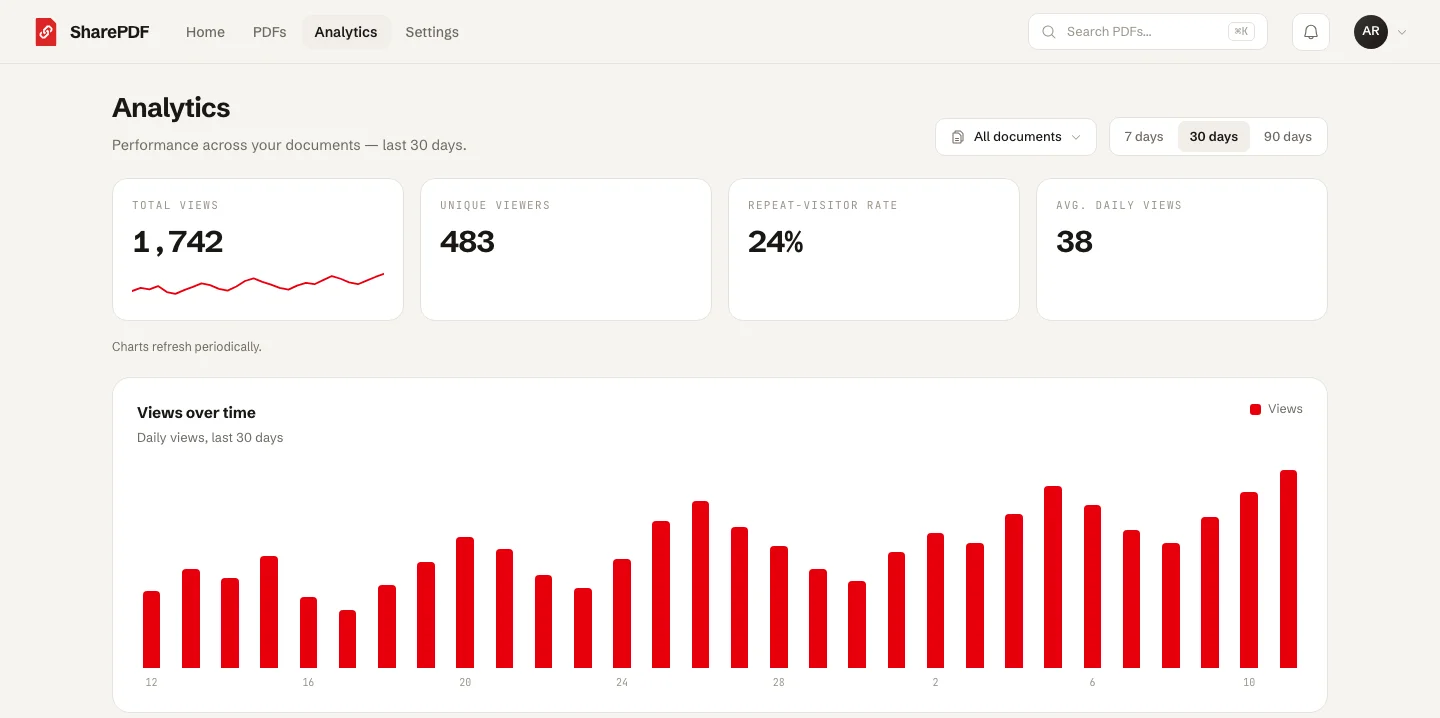
A dashboard built around your PDF links — keep your PDFs, links, QR codes, access settings, and view activity in one place.
All SharePDF features, in the order you use them.
Start with upload and PDF links, then add QR codes, tracking, access controls, lead capture, and branding when a document needs more.
PDF, Word, and PowerPoint upload
Upload PDF, DOCX, and PPTX files. Word and PowerPoint files convert to PDF before sharing.
Word to PDF links
Convert DOCX files to PDF and share them as clean links people can open in the browser.
PowerPoint to PDF links
Convert PPTX decks to PDF and share them with a clean link for clients, students, or investors.
Multi-file uploads
Add several files at once and watch upload progress from one simple queue.
PDF folders
Organize uploaded documents into collections so important files stay easy to find.
Shareable PDF links
Turn a PDF into a clean link people can open from email, chat, websites, and social posts.
Custom PDF URLs
Choose a readable URL for important PDFs so links are easier to recognize and share.
Replace PDFs without changing links
Update the file behind an existing link or printed QR code without starting over.
QR codes for PDF links
Create a scannable QR code for menus, handouts, flyers, packaging, and printed materials.
Embed PDFs on your website
Copy iframe embed code when a shared PDF should appear inside a web page.
Track views on PDF links
See views over time, countries, referrers, and top documents in simple reports.
Public, unlisted, or private PDFs
Choose whether a PDF can be discovered publicly, opened by link, or kept private.
Password protected PDFs
Ask viewers for a password before selected private or sensitive PDFs open.
Expiring PDF links
Set an end date for time-sensitive documents and limited resources.
Download control
Choose whether viewers see a download option on the PDF page.
Email capture
Collect emails before someone opens a guide, brochure, or lead magnet.
Custom domain PDF links
Share PDFs from a branded domain your audience already recognizes.
Clean PDF viewer
Give viewers a mobile-friendly PDF page with no ads and no viewer account required.
Secure storage
Store PDFs safely and serve them through infrastructure built for fast access.
Everything you need to share a PDF professionally.
Each feature has one job: help you send a PDF link, protect it when needed, and understand what happens after you share it.
Upload and organize documents
Upload PDFs, Word files, and PowerPoint decks, then keep everything tidy in one dashboard.
Share links anywhere
Send a clean PDF link by email, chat, social media, QR code, or your own website.
Track PDF views
See how your PDF is performing without confusing reports or complicated tracking.
Control who can open your PDF
Choose the right access level for each document, from public pages to private links.
Give viewers a clean PDF page
Your audience gets a mobile-friendly PDF viewer instead of a file attachment, ad page, or storage-folder link.
Use SharePDF for the PDFs you send every day.
Turn client files, sales materials, class handouts, and reports into PDF links that are easy to open and easy to track.
Better than sending a heavy attachment.
Email attachments are hard to track. Storage links can feel messy. SharePDF gives you a clean PDF page, a simple link, and the right controls for each file.
Questions about what SharePDF does.
What is included for free, what paid plans add, and what your viewers experience.
Do I need a paid plan to share a PDF link?
No. The free plan creates real, shareable PDF links with total view counts, QR codes, custom URLs, and download control. Paid plans add more documents, larger files, and the access controls below.
Which features are only on paid plans?
Password-protected PDFs, expiring links, email capture, custom domains, and the detailed view breakdowns — countries, referrers, and views over time — are all paid-plan features.
Can I share Word and PowerPoint files, not just PDFs?
Yes. Upload a DOCX or PPTX file and SharePDF converts it to PDF before sharing, so viewers always open a clean PDF link rather than downloading an Office file.
Do viewers have to sign up to open my document?
Never. Your link opens in any browser with no account, no app, and no ads on the page. The only optional gate is email capture, which you turn on per document.
Can I change the file after I have sent the link?
Yes. Replace the file behind an existing link and the URL you already sent — plus any QR code printed from it — keeps opening the current version.
Create your first PDF link today.
Start free, upload a PDF, Word, or PowerPoint file, and share it with a clean link in minutes.