How to Password Protect a PDF (File or Link)
Password protect a PDF file in Preview, Word or Adobe, or put the password on the link you share. Steps for each, and which one stops what.
Quick answer: there are two kinds of password. A file password is built into the PDF, so the file asks for it wherever it goes. A link password sits on the web page that shows the PDF, so you can change or remove it later. Use a file password when the file itself will travel. Use a link password when you want to stay in control after sending.
File password or link password
| Password on the file | Password on the link | |
|---|---|---|
| Where it lives | Inside the PDF | On the page that shows the PDF |
| Works offline | Yes | No, the reader needs the link |
| Change or remove it after sending | No, you must send a new file | Yes, at any time |
| Take the document back | No | Yes, delete it or let it expire |
| Reader needs | A PDF reader that supports passwords | A browser |
| The catch | The password travels with the reader | A downloaded copy has no password |
Password protect the PDF file
On a Mac, with Preview
These steps are from Apple's Preview guide:
- Open the PDF in Preview and choose File > Export. Give the copy a new name if you want to keep the original unprotected.
- Click Permissions.
- Select Require Password To Open Document, then type the password twice.
- In the Owner Password section, type a password twice. It can be the same one.
- Click Apply, then Save.
To change it later, open the file and choose File > Edit Permissions.
In Microsoft Word, when you export
If the document starts in Word, you can add the password as you save it as a PDF. Choose File > Save As, pick PDF as the file type, click Options, and select Encrypt the document with a password. Microsoft's help says Word then opens a box where you type the password twice.
Online, with Adobe
Adobe has a free online tool for this. Select the file, type a password twice, click Set password, and download the protected PDF. Adobe's page says the file is handled on its servers and deleted unless you sign in to save it. Removing a password later, and finer permission settings, need Acrobat Pro.
One caveat for every file password
Anyone who has the password can open the file, save an unprotected copy and pass it on. You cannot change the password or take the file back once it is sent.
Password protect the link instead
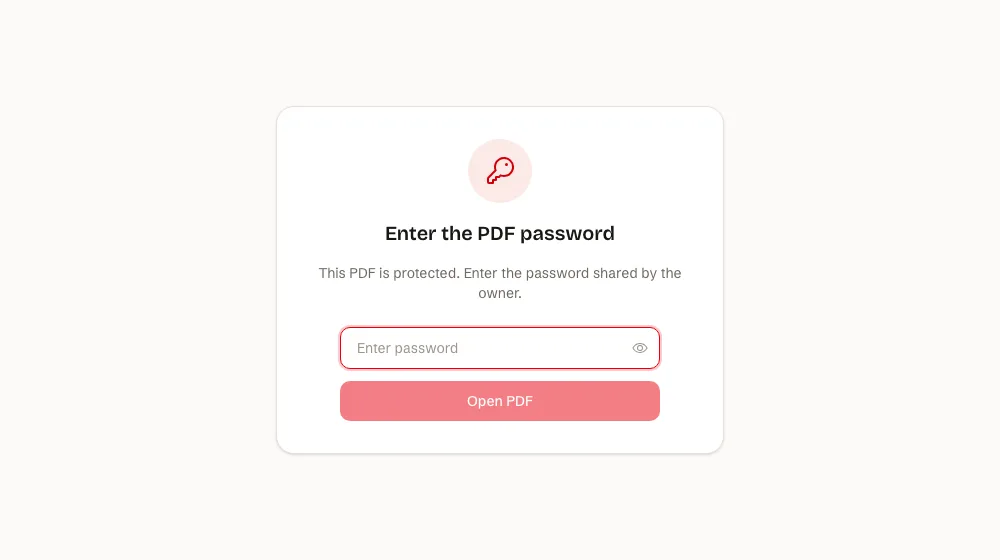
A link password does not change your file. The reader opens a link, types the password, and reads the PDF in the browser.
With SharePDF:
- Upload the PDF and keep it unlisted.
- Open the PDF's settings and add a password. This needs a paid plan, from $5 a month.
- Send the link, and send the password another way.
You can change or remove the password later without sending a new link. Wrong guesses are rate limited. More detail: password protected PDFs.
What it does not do: it does not encrypt the file itself. If downloads are on, a reader who has the password can save a copy, and that copy has no password.
Pair it with download control
If the reader should not keep a copy, turn downloads off. The viewer then shows no download button. This is on every plan, including Free. See download control. A reader can still take a screenshot, so share only what they are allowed to see.
Send the password a different way
Do not put the password in the same message as the file or link. If the link goes by email, send the password by phone, text or chat. Then one forwarded message is not enough to open the document.
When a password is not enough
- You want the link to stop working: add an expiry date.
- You want to know who opened it: ask for an email first, with an email gate.
- You need NDAs, watermarks or an audit trail: use a data room tool. See secure document sharing.
All the options are in ways to protect a PDF.
FAQ
Can I remove a password from a PDF?
If you know the password, yes: open the file and save an unprotected copy, or remove it in the tool that added it. Adobe says removing a password needs Acrobat Pro. A link password can be removed in the PDF's settings at any time.
What if I forget the password?
For a file password, there is no reset. Keep an unprotected original. For a link password on SharePDF, set a new one in the PDF's settings.
Is a link password secure?
It limits who can open the page, and guesses are rate limited. It does not encrypt the file or stop a reader who has the password from sharing it.
Does it work for Word and PowerPoint files?
Word can add a password when you save as PDF. SharePDF also takes Word and PowerPoint files, converts them to PDF, and lets you put a password on the link on a paid plan.
Can I upload a PDF that already has a file password?
Remove the file password first, then upload it and put the password on the link. A locked PDF cannot be opened without its password.
Sources: Apple, Password-protect a PDF in Preview on Mac, and Adobe, Password protect a PDF, read on 20 November 2026.